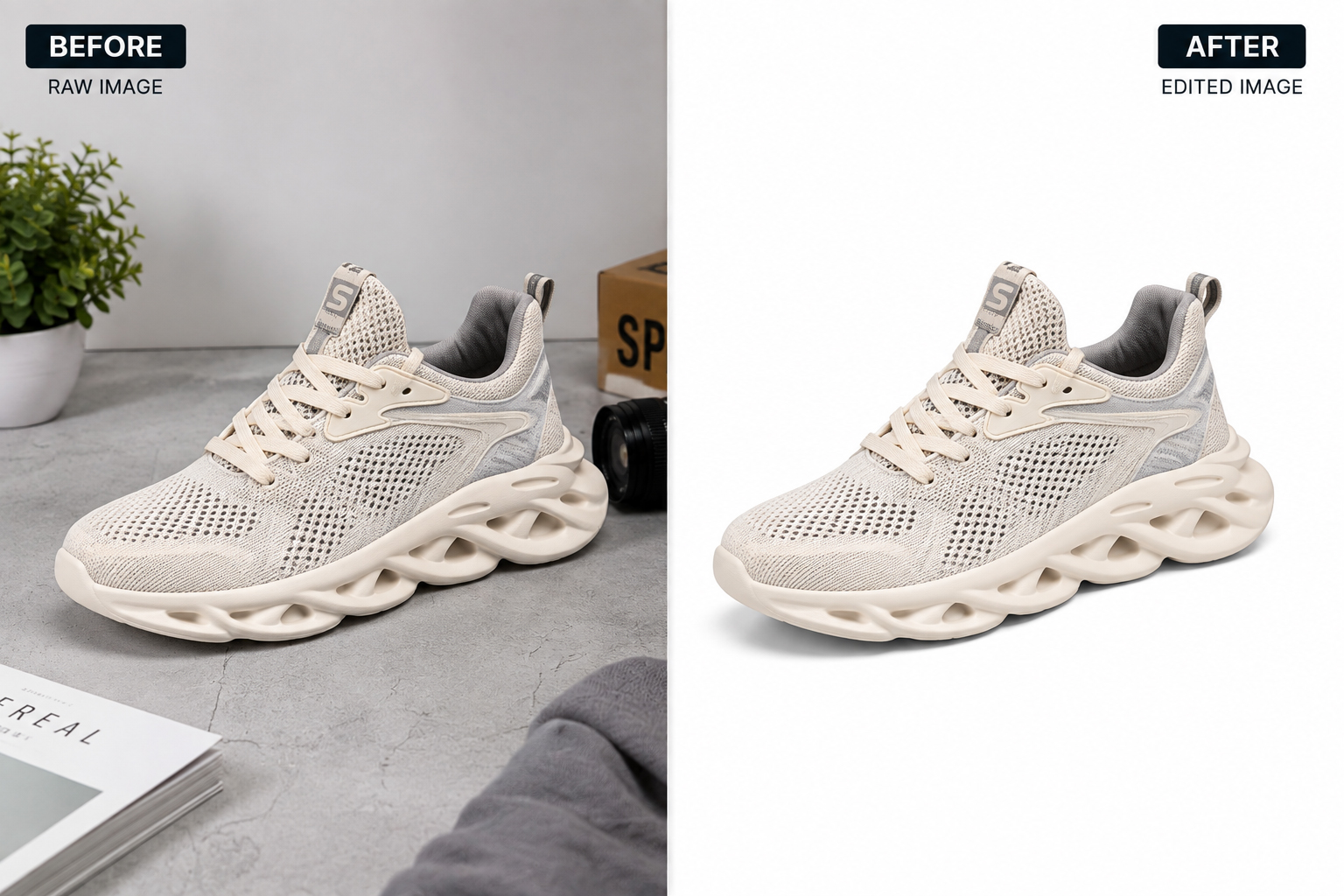
If your product photos still have distracting backgrounds, cluttered clutter, or inconsistent lighting behind them, an online clipping path service can fix that without you touching Photoshop yourself. It’s the process professional photo editors use to cut a product cleanly out of its background so it looks sharp, consistent, and ready to sell — on your website, on Amazon, or anywhere else you list it.
For e-commerce sellers, this isn’t a cosmetic extra. Product photos are usually the first — and sometimes only — thing that convinces a shopper to trust a listing enough to buy.
What Is a Clipping Path, Exactly?
A clipping path is a vector outline drawn precisely around the edge of a product in an image, using a tool like the Photoshop Pen tool. Everything inside the outline stays; everything outside it can be removed, replaced with white, or swapped for a different background entirely.
Because the outline is vector-based rather than pixel-based, it stays sharp no matter how much you zoom in — which is exactly why marketplaces like Amazon and Shopify care about clean edges on product images.
Types of Clipping Path Work
Not every product needs the same level of work, and pricing usually reflects that:
- Simple clipping path — smooth, clear edges (books, boxes, simple accessories)
- Medium/complex clipping path — jagged or curved edges (shoes, furniture, tools)
- Multiple clipping path — several separate objects or holes within one image (jewelry chains, mesh fabric, bicycles)
- Super-complex clipping path — fine detail work like fur, hair, or intricate netting
Knowing which category your product falls into helps you get an accurate quote instead of a generic one.
Why E-commerce Sellers Outsource This Work
You can learn to do clipping paths yourself, but most active sellers outsource it, for a few practical reasons:
- It’s faster at volume. A professional editor working through 50 or 500 images a day will always outpace someone doing it part-time between other tasks.
- It’s usually cheaper than hiring in-house. Paying per image or per batch avoids the overhead of a full-time salary for work that fluctuates seasonally.
- The edges are more consistent. Small inconsistencies in background removal are one of the fastest ways a product catalog starts to look unprofessional.
- It frees you up for the parts of the business only you can do — sourcing, pricing, customer service, marketing.
How the Professional Process Actually Works
A reliable online clipping path service typically follows a process like this:
- You send raw images — usually via a shared drive link, FTP, or an upload form on the provider’s site.
- The editor reviews the images and flags anything that needs clarification (background color, shadow style, file format).
- The path is drawn manually with the Pen tool, not an automated background-eraser, which is why edges stay clean on fine detail.
- Color correction and retouching are applied if requested — removing dust, fixing shadows, adjusting exposure.
- Quality check and delivery in your requested format (PNG with transparency, JPEG on white, or both).
Most providers quote turnaround in hours for small batches and 24–48 hours for larger ones.
DIY vs. Professional: Which Should You Choose?
| DIY | Professional Service | |
|---|---|---|
| Time | Hours per batch, especially while learning | You send images and move on |
| Consistency | Varies with skill and fatigue | Uniform across the whole catalog |
| Cost | “Free” but costs your time | Per-image or per-batch fee |
| Best for | A handful of images, one-off projects | Ongoing catalogs, bulk uploads, seasonal spikes |
If you’re listing a handful of items once, DIY with Photoshop’s own <a href=”https://helpx.adobe.com/photoshop/desktop/draw-shapes-paths/draw-lines-curves/draw-paths-with-the-pen-tool.html”>Pen tool guide</a> is a fine place to start. If you’re running an active store with a growing catalog, outsourcing usually pays for itself in the time it frees up.
Common Mistakes to Avoid
- Skipping a trial order. Always test a provider on a small batch before sending your full catalog.
- Ignoring platform image requirements. Amazon, for example, requires main images on a pure white background with the product filling most of the frame — a mismatch here can get a listing suppressed.
- Not specifying the output format upfront. PNG with a transparent background and JPEG on white solve different problems; say which one you need before the job starts, not after.
- Choosing the cheapest option without checking the portfolio. Rock-bottom pricing often means automated background removal instead of a hand-drawn path, which shows on complex edges.
How to Choose a Reliable Provider
- Check their portfolio for products similar to yours — jewelry, apparel, and furniture all demand different editing skills.
- Request a free trial on a few images before committing to a full order.
- Ask about turnaround time and revision policy in writing.
- Confirm how they handle your image files — reputable services don’t reuse or resell your product photos.
- Compare pricing across a few providers, but weigh it against consistency and communication, not just the per-image rate.
The Bottom Line
A clean product photo isn’t just nicer to look at — it’s often the difference between a shopper trusting a listing enough to buy and scrolling past it. Whether you’re managing a handful of SKUs or a growing catalog, a dependable online clipping path service takes one recurring task off your plate and keeps your photos looking consistent across every listing.
Need your product images cleaned up fast? Get a free trial edit or request a quote and see the results on your own photos before you commit.