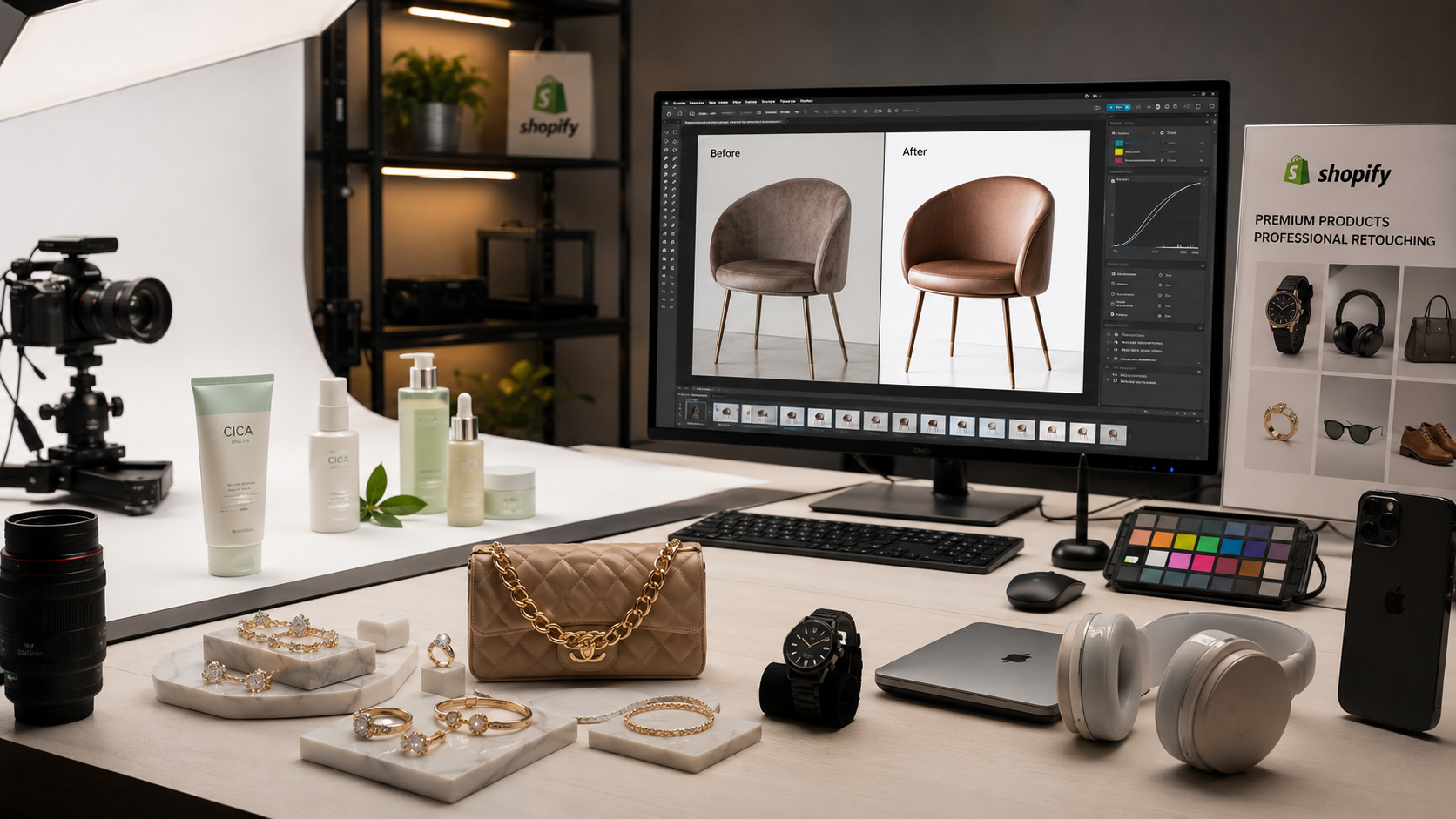
If you run a Shopify store, you already know that your product photos are doing a lot of heavy lifting. They’re your salesperson, your fitting room, and your first impression, all rolled into one. That’s exactly why ecommerce product retouching for Shopify has become such a critical part of running a successful online store. Shoppers can’t touch or try your products, so the only thing standing between “add to cart” and “close the tab” is how good your images look.
In this guide, we’ll walk through what Shopify product photo editing actually involves, why it matters so much for conversions, and how a proper retouching workflow can transform an average storefront into one that looks premium, trustworthy, and ready to sell.
What Does Ecommerce Product Retouching for Shopify Actually Mean?
At its core, ecommerce product retouching for Shopify is the process of taking raw product photographs and refining them into polished, sales-ready images suitable for an online storefront. This typically includes background removal, color correction, blemish and dust removal, shadow creation, and consistent sizing and cropping across your entire catalog.
Unlike casual photo editing, ecommerce retouching follows strict standards. Shopify stores need images that load quickly, display consistently across devices, and meet marketplace-style expectations for clean backgrounds and true-to-life color. This is a technical, repeatable process — not a one-off creative edit.
Why High-Quality Product Images Matter for Shopify Stores
Shopify is a visual-first platform. Your theme, your homepage banners, your collection pages — all of it is built around images. When those images are inconsistent, dark, oddly cropped, or cluttered with background distractions, it undermines everything else you’ve built.
According to the Shopify Help Center, product images should be clear, well-lit, and consistent in size and style to give shoppers an accurate sense of what they’re buying. Stores that follow this guidance tend to see smoother browsing experiences and fewer returns, since customers know what to expect before they buy.
High-quality images also directly affect:
- First impressions — a cluttered or poorly lit photo can make even a great product look cheap.
- Brand perception — consistent, professional imagery signals that you run a serious, trustworthy business.
- Mobile experience — most Shopify traffic is mobile, where flaws in an image are even more noticeable on smaller screens.
How Professional Retouching Improves Product Appearance
Professional retouching doesn’t just “clean up” a photo — it enhances the product’s true appeal while keeping it realistic. A skilled retoucher will:
- Sharpen important details like fabric texture, stitching, or metal finishes
- Balance exposure so nothing looks overly dark or blown out
- Straighten crooked product angles
- Even out skin tones on model shots without making them look artificial
- Ensure every image in a collection matches in tone, brightness, and framing
The goal is always the same: make the product look as good in the photo as it does in real life — sometimes even better, without misrepresenting it.
Common Problems With Unedited Shopify Product Photos
Even with good camera equipment, raw product photos almost always need work before they’re ready for a storefront. Some of the most common issues include:
- Uneven or inconsistent lighting between shots
- Distracting backgrounds (cluttered studio setups, shadows on walls, visible props)
- Dust particles, scratches, or lint on the product surface
- Reflections on glossy or metallic items like jewelry and electronics
- Slightly off colors due to camera white balance settings
- Inconsistent image sizes and crops across the catalog
Left unedited, these small flaws add up. A shopper scrolling through a collection page will notice when one product photo looks noticeably rougher than the rest, even if they can’t quite explain why.
Background Removal and Clean White Backgrounds
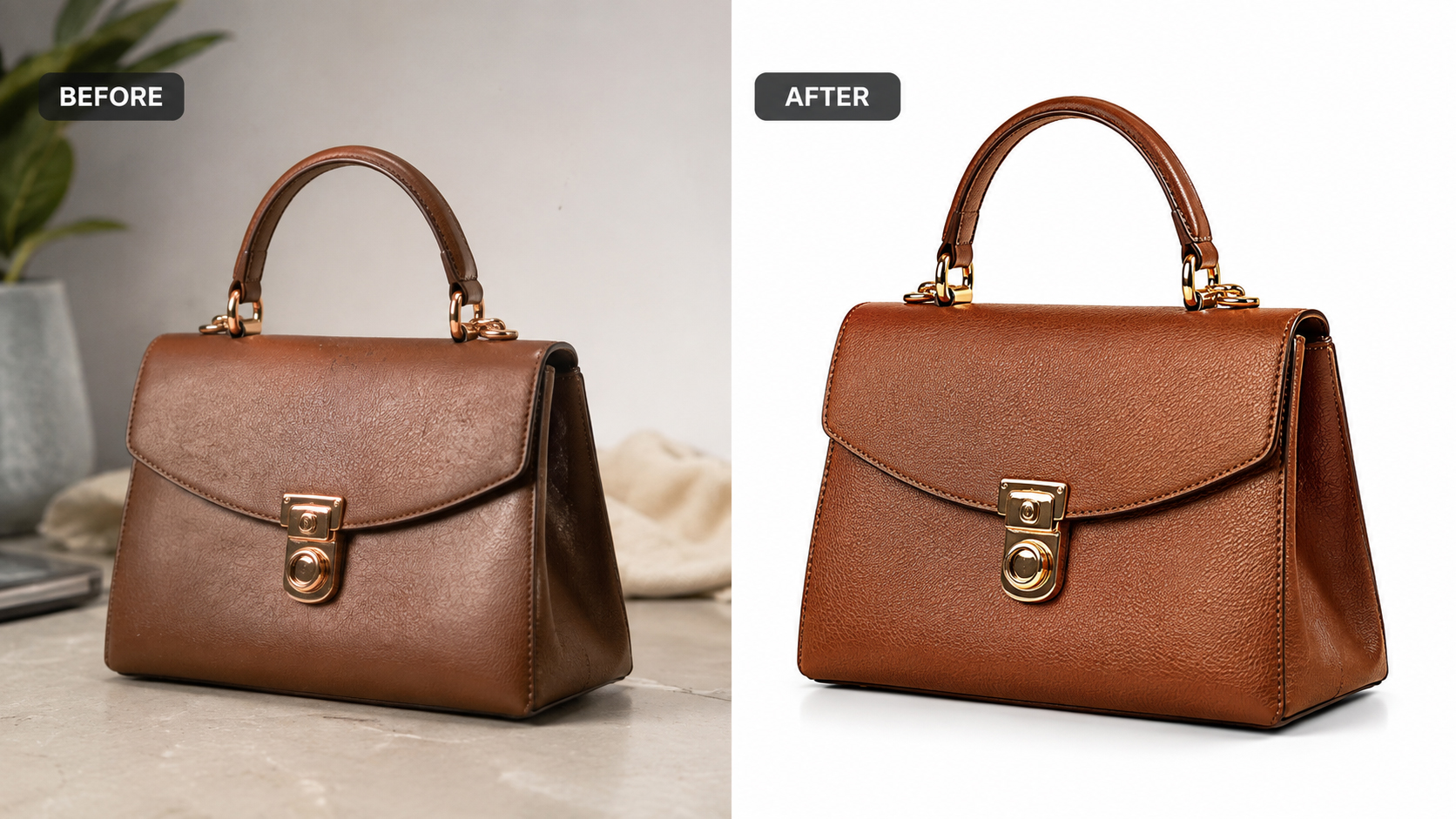
A clean, distraction-free background is one of the simplest ways to make product photos look professional and consistent. Pure white or transparent backgrounds keep the shopper’s focus entirely on the product, and they make it easy to reuse the same image across your homepage, collection pages, ads, and marketplaces.
This is where a dedicated clipping path service becomes valuable, especially for products with intricate edges like jewelry, hair accessories, or electronics with cables. Precise clipping paths isolate the product cleanly, without the jagged edges or leftover shadows that come from automated, one-click background removers.
Color Correction and Accurate Product Colors
Nothing damages customer trust faster than a product that arrives looking different from its photo. Camera settings, lighting temperature, and screen calibration can all shift how a color appears, which is why color correction is a non-negotiable step in Shopify product photo editing.
Professional retouchers use calibrated monitors and reference tools to match the photo’s colors to the actual product, ensuring that a “forest green” jacket doesn’t show up looking olive or teal. This step alone can meaningfully reduce return rates, since customers are less likely to feel misled about what they ordered.
Removing Dust, Scratches, Reflections, and Unwanted Objects
Studio environments are rarely perfectly clean, and even the smallest imperfection can distract from an otherwise great shot. Retouchers routinely clean up:
- Dust and lint on fabric or glass surfaces
- Fingerprints or smudges on jewelry and electronics
- Unwanted reflections in glossy or mirrored products
- Stray hairs, threads, or packaging residue
- Small scratches or dents that aren’t representative of the product
Tools like Adobe Photoshop remain the industry standard for this kind of detailed, pixel-level cleanup, offering the precision needed to fix these issues without altering the product’s true appearance.
Creating Realistic Shadows and Highlights
A product floating on a stark white background with no shadow at all can look flat and slightly unnatural. Professional retouching adds soft, realistic shadows and highlights that ground the product visually and add a subtle sense of depth, without looking heavy-handed or fake.
This is particularly important for:
- Shoes and bags, where a natural drop shadow suggests real-world placement
- Bottles and jars, where reflections and highlights hint at material (glass vs. plastic)
- Jewelry, where light needs to catch facets and metal edges convincingly
Retouching Examples by Product Category
Different product types come with their own retouching challenges:
- Jewelry — requires precise clipping paths, reflection control, and highlight enhancement to make gemstones and metals sparkle realistically.
- Fashion — includes ghost mannequin effects, wrinkle removal, and color matching across sizes and variants. A professional ghost mannequin service is especially useful here, giving apparel a natural, three-dimensional shape without a visible mannequin or model.
- Cosmetics — focuses on label clarity, liquid color accuracy, and eliminating smudges on glass or plastic containers.
- Electronics — needs careful handling of reflective surfaces, screen glare removal, and sharp edge definition.
Each category demands a slightly different technical approach, which is why experienced retouchers build category-specific workflows rather than applying a single generic edit to everything.

How Professional Retouching Creates a Consistent Shopify Storefront
Consistency is often underrated, but it’s one of the biggest visual signals of a trustworthy brand. When every product image on your store shares the same background tone, shadow style, lighting angle, and cropping ratio, your storefront feels curated and intentional rather than thrown together.
This consistency is hard to achieve when photos are edited individually, in batches, by different people, or with different tools. A structured retouching workflow — ideally handled by a dedicated professional photo editing service — applies the same standards and presets across your entire catalog, no matter how many products you add over time.
How Better Product Images Improve Customer Trust and Conversions
Shoppers make fast, often subconscious judgments based on image quality. Clean, well-lit, accurately colored photos signal professionalism and reduce the perceived risk of buying something they can’t physically inspect.
Better images tend to support:
- Higher click-through rates from collection pages and ads
- Longer time spent browsing product pages
- Fewer support questions about color, size, or condition
- Lower return rates, since expectations match reality
- Stronger brand recall across marketing channels
None of this means images alone will fix a weak product or poor pricing, but they remove one of the biggest silent barriers between a browser and a buyer.
DIY Editing vs. Professional Ecommerce Product Retouching
Many Shopify store owners start out editing their own product photos, and for a handful of images, that can work fine. The challenges tend to show up at scale:
DIY editing is reasonable when you have a small catalog, basic editing skills, and time to spare. It’s cost-effective upfront but can be time-consuming and inconsistent as your catalog grows.
Professional retouching makes more sense once you’re managing dozens or hundreds of SKUs, launching new collections regularly, or trying to maintain a polished, marketplace-ready look across every channel. Professionals bring calibrated tools, category-specific expertise, and — critically — consistency at volume that’s difficult to replicate manually.
For most growing Shopify brands, a hybrid approach works well: handle simple day-to-day touch-ups in-house, and outsource full-catalog retouching, new product shoots, and bulk editing to a professional service.
How to Choose a Professional Shopify Product Photo Editing Service
Not all photo editing services are equal. When evaluating a provider for ecommerce product retouching for Shopify, look for:
- A portfolio with examples in your specific product category
- Clear turnaround times and bulk-order capabilities
- Consistent quality across sample edits, not just a single showcase image
- Support for Shopify’s recommended image formats and dimensions
- Transparent pricing with no hidden per-revision fees
- Responsive communication and revision policies
Asking for a free sample edit on one or two of your own images is one of the best ways to judge whether a service’s style and quality match what your brand needs.
A Practical Shopify Product Image Retouching Workflow
A well-run retouching workflow generally follows these steps:
- Image intake and sorting — organizing raw photos by product and variant
- Background removal — clipping paths applied for clean, consistent backgrounds
- Color correction — matching colors to the physical product
- Spot cleanup — removing dust, scratches, reflections, and blemishes
- Shadow and highlight work — adding realistic depth
- Resizing and cropping — standardizing dimensions to Shopify’s specifications
- Quality check — comparing final images against brand guidelines before upload
Following the Shopify Ecommerce Resources guidance on product photography alongside this kind of structured editing workflow helps ensure your images are optimized both visually and technically before they go live.
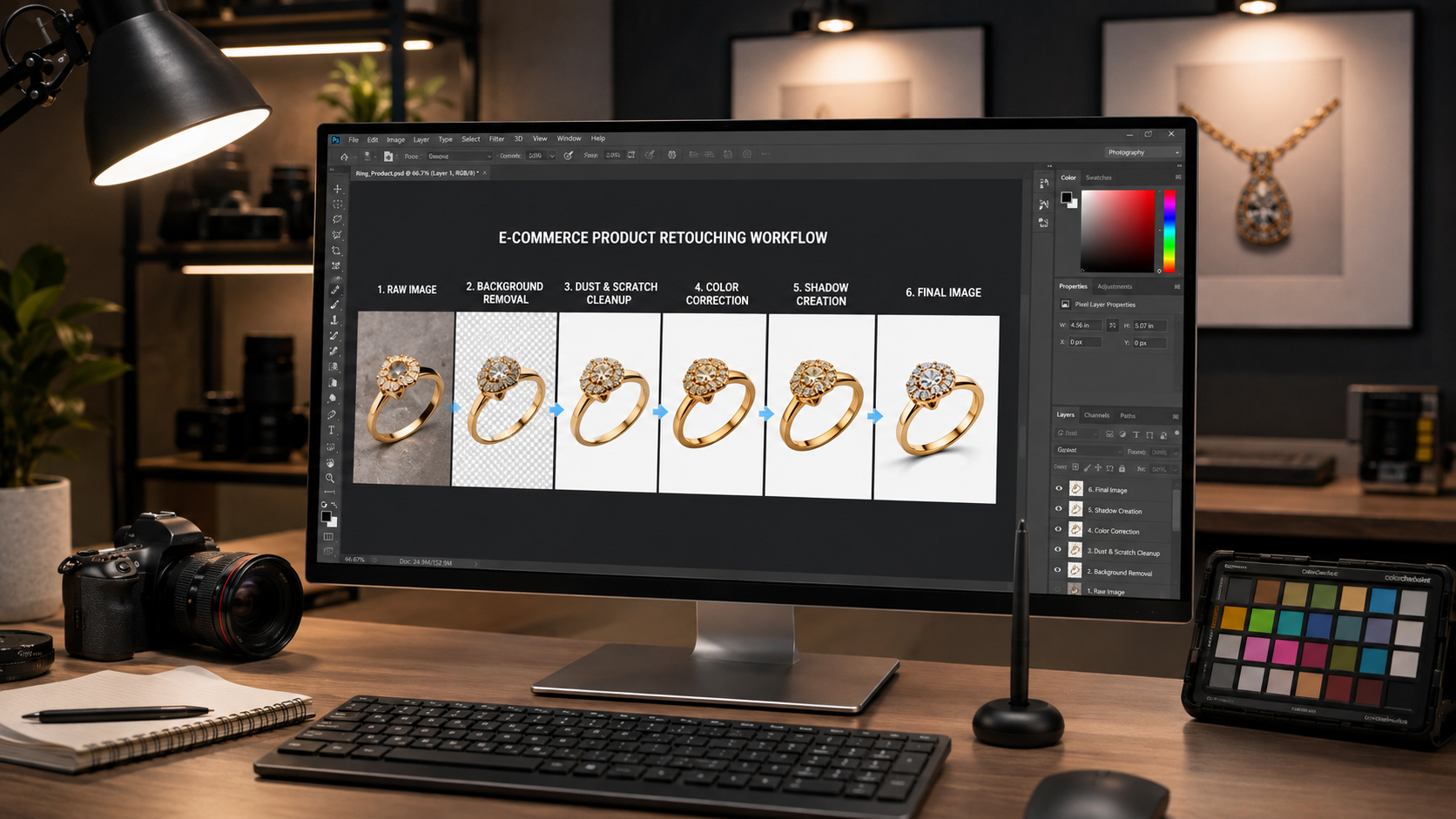
Image SEO: Don’t Forget the Technical Side
Great retouching should go hand in hand with good image SEO. Descriptive filenames, accurate alt text, and appropriately compressed file sizes all help your Shopify product pages load faster and rank better in image search results. Google Search Central recommends using clear, descriptive filenames and alt attributes so search engines can understand and index product images accurately — a step that’s easy to fold into the same workflow as your retouching process.
Final Checklist for Shopify-Ready Product Images
- Background is clean, white, or on-brand and consistent with other listings
- Colors accurately reflect the real product
- No dust, scratches, reflections, or unwanted objects visible
- Shadows and highlights look natural, not artificial
- Image dimensions and file size follow Shopify’s recommendations
- Filename and alt text are descriptive and keyword-relevant
- Image style matches the rest of your product catalog

Conclusion
Ecommerce product retouching for Shopify isn’t just a cosmetic nice-to-have — it’s a direct investment in how customers perceive, trust, and ultimately buy from your store. From clean background removal to accurate color correction and consistent shadow work, every step of the retouching process contributes to a storefront that looks professional, cohesive, and ready to convert.
Whether you’re managing a small boutique catalog or scaling toward hundreds of SKUs, the difference between amateur and professionally retouched images often shows up directly in your conversion rate. If your product photos aren’t pulling their weight, it may be time to bring in a dedicated photo editing partner who understands the specific demands of Shopify stores.
Ready to upgrade your product photography? Reach out to a professional ecommerce photo editing team to get consistent, conversion-ready images for your entire Shopify catalog.