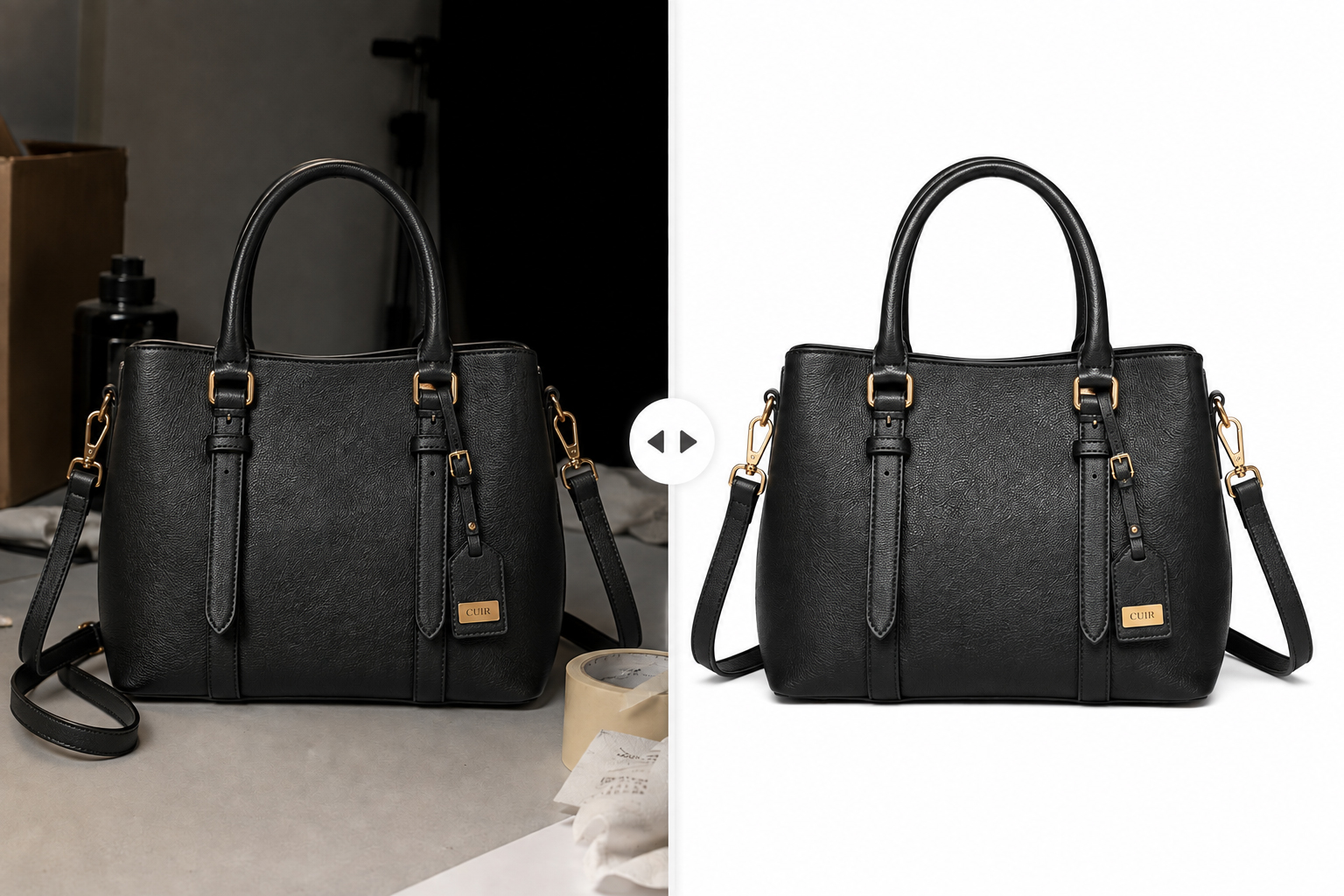
Ever wondered how a product photo ends up looking so clean it seems to float on the page? That’s the work of a clipping path service — the editing process behind almost every crisp, background-free product image you see online. If you sell on Amazon, Shopify, or Etsy, or you shoot products for a living, understanding how this works (and when to outsource it) can make a real difference to how your images perform.
What Is a Clipping Path?
The Basic Definition
A clipping path is a closed vector outline drawn around an object in a photo. Everything inside the path stays. Everything outside it — background, clutter, shadows you didn’t ask for — gets removed or replaced. Think of it as digital scissors, except the cut is pixel-precise and infinitely editable.
How It Works in Practice
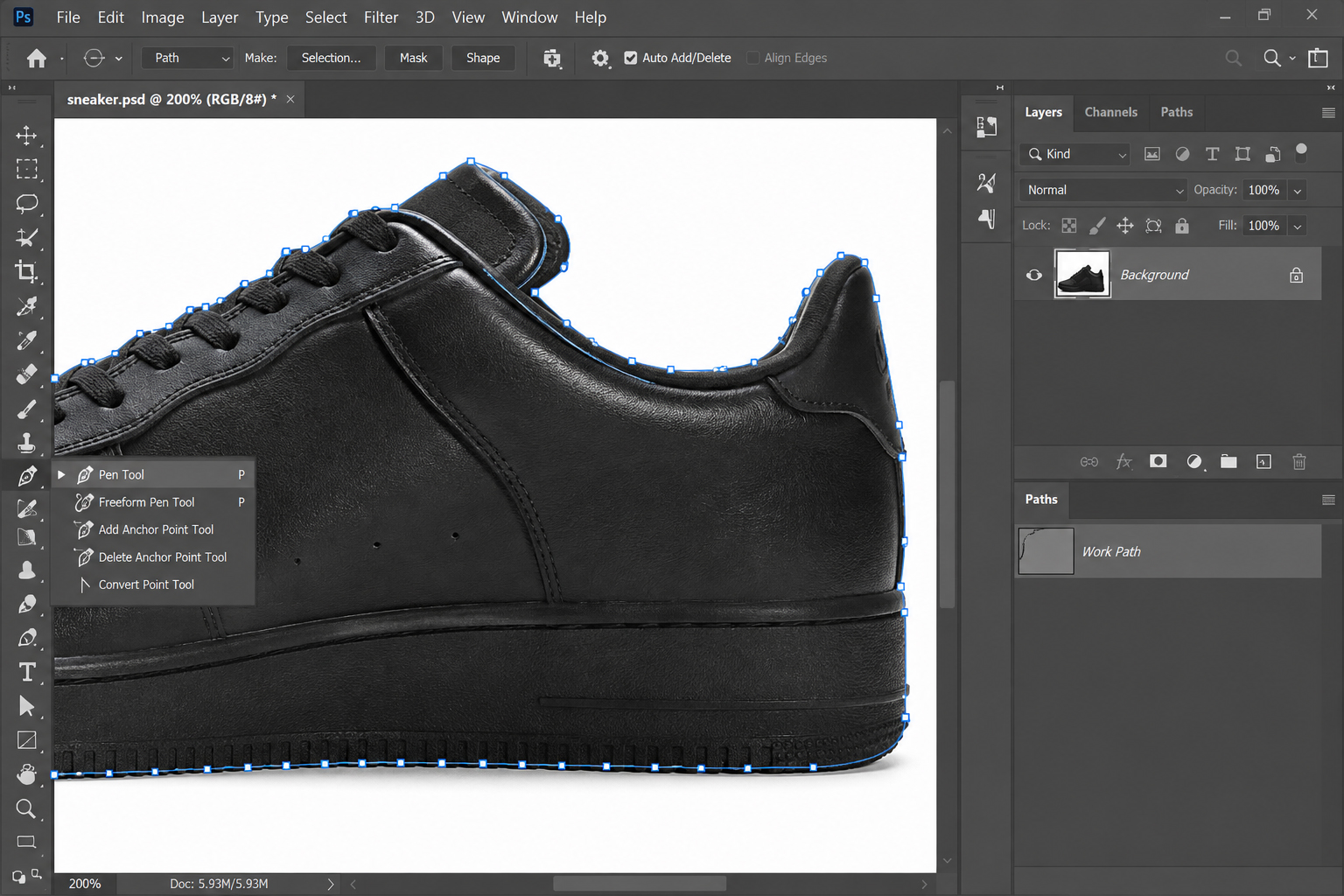
Editors use the Pen Tool in Adobe Photoshop to trace the exact edge of the product, anchor point by anchor point. Once the path is closed, it can isolate the object, drop in a new background, create a shadow, or export the product on a transparent background for reuse across a catalog. It looks simple in a tutorial. On a product with fine edges — jewelry chains, lace, mesh sneakers — it takes real skill to get right.
Why a Clipping Path Service Matters for Your Images
Precision You Can’t Get from Automated Tools
AI background removers are fast, but they still struggle with reflective surfaces, thin edges, and transparent materials. A clipping path service staffed by trained editors catches the details automation misses — no halos, no jagged edges, no leftover background fringe.
The Business Impact
Clean, consistent product images build trust before a customer reads a single word of your listing. On marketplaces where every seller’s photo sits in the same white-background format, sloppy edges or mismatched lighting stand out immediately — for the wrong reasons.
Types of Clipping Paths You Should Know
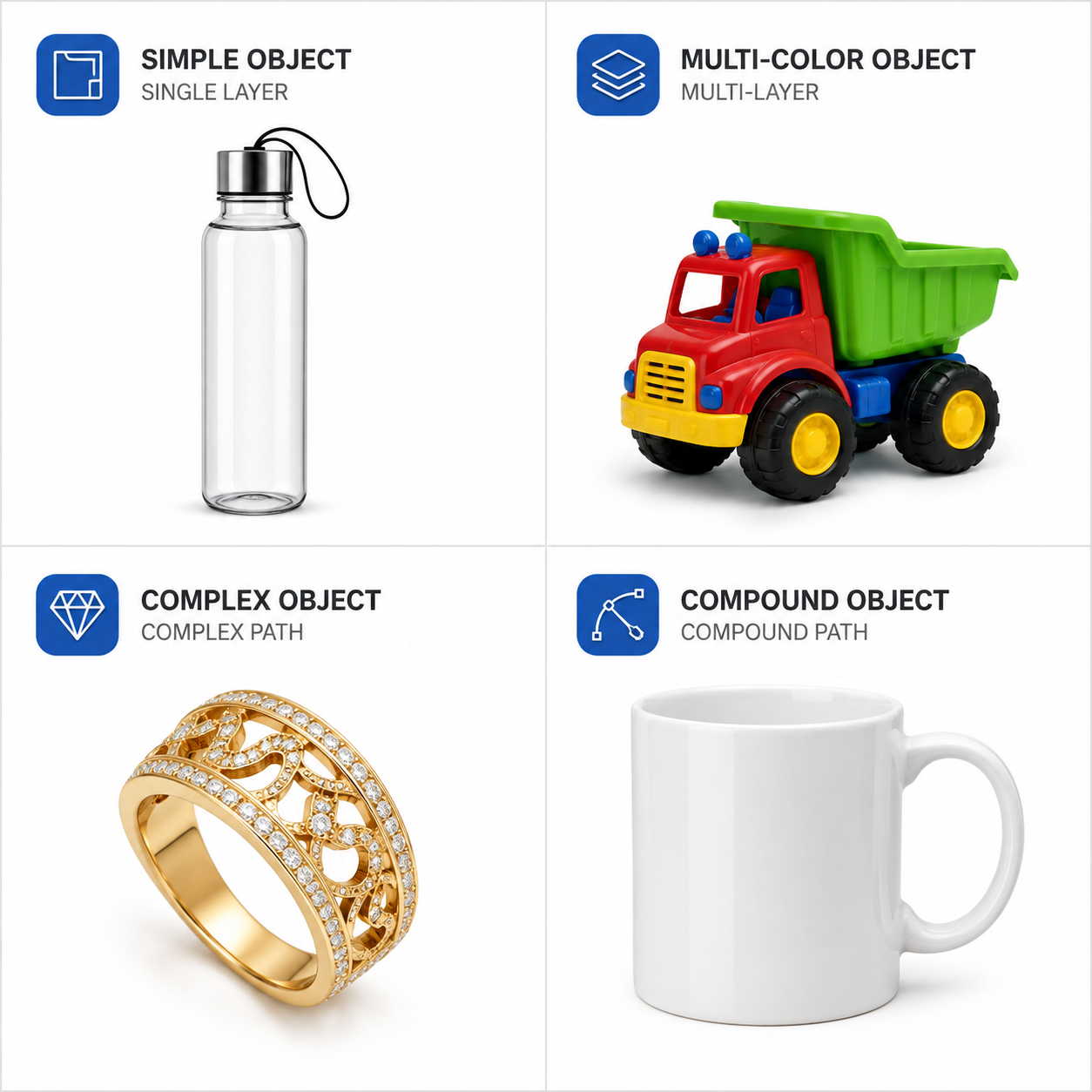
- Single-layer path — for simple shapes like a bottle or a phone case, with no holes or embedded areas
- Multi-layer path — separates a product into individually editable sections, useful when different parts need different color or exposure adjustments
- Complex path — handles curves, cutouts, and intricate detail, common for jewelry, machinery parts, or hair-adjacent product edges
- Compound path — used for products with negative space, like a mug handle or a picture frame, where the “inside” needs to stay transparent too
Clipping Path vs. Image Masking
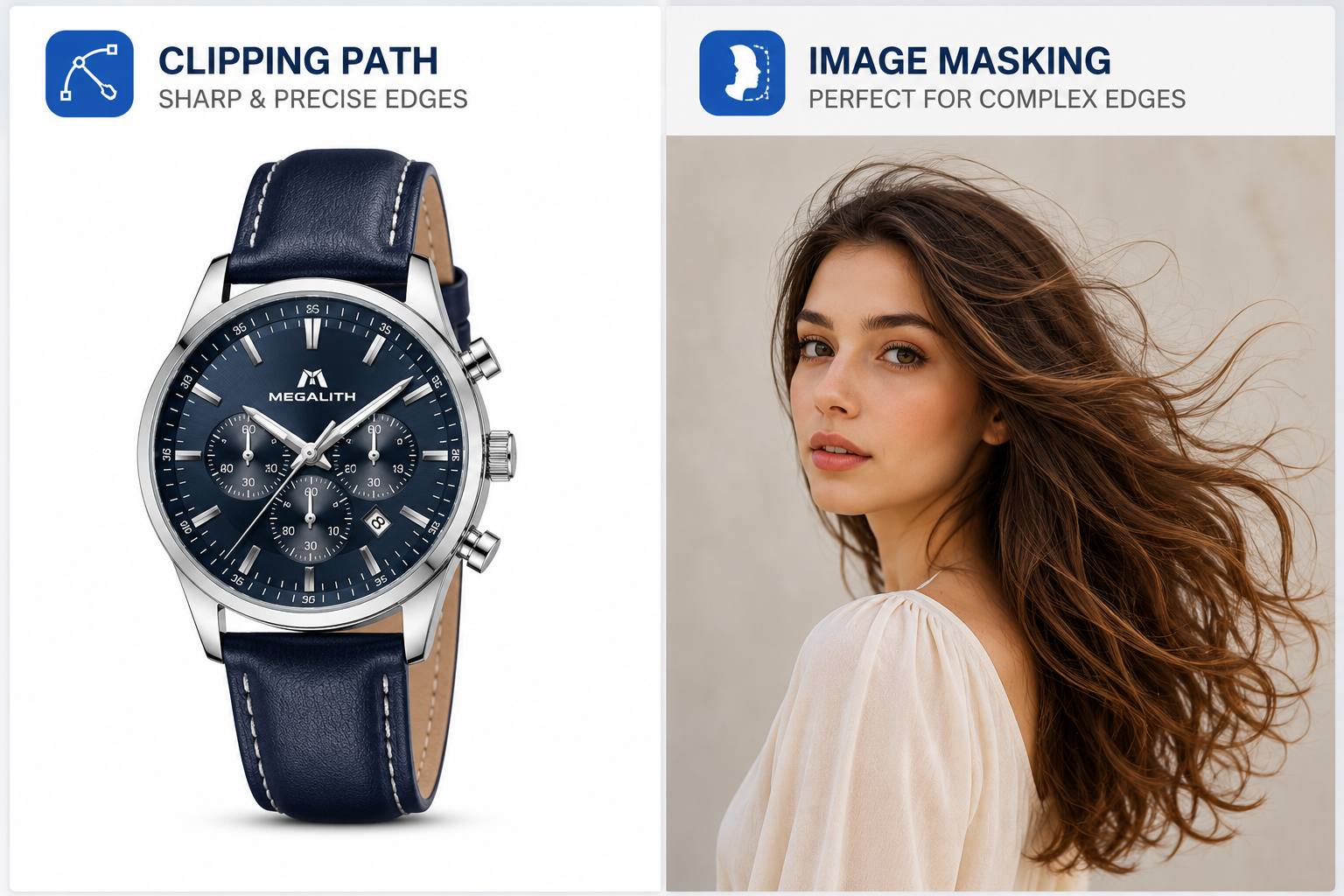
These two techniques get confused constantly, so here’s the short version: a clipping path suits hard, well-defined edges — furniture, electronics, packaged goods. Image masking is built for soft or fuzzy edges — hair, fur, feathers, or anything with fine, wispy detail a vector path can’t trace cleanly. Many product shoots need both techniques on different items in the same catalog.
Who Actually Needs This
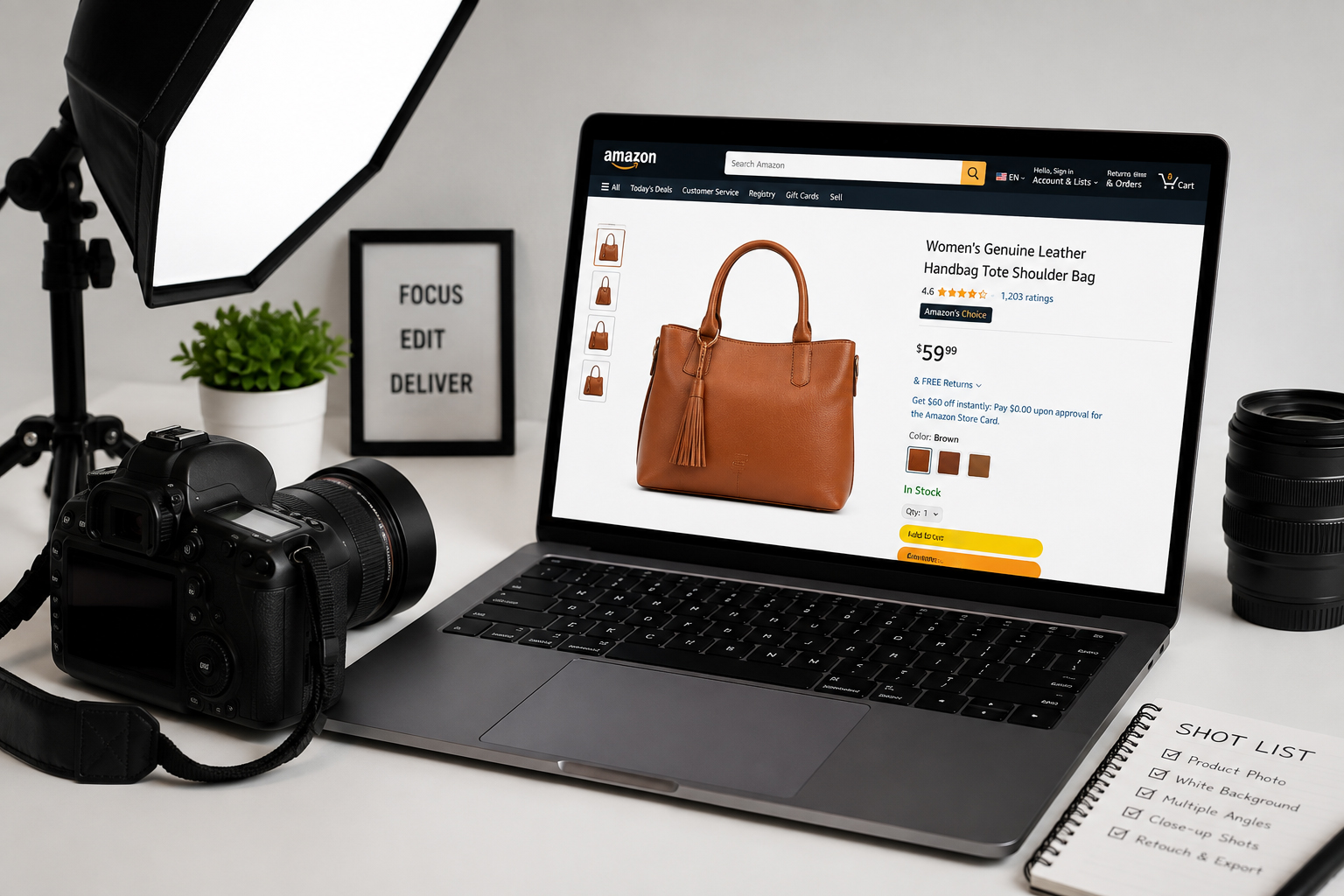
- E-commerce sellers on Amazon, Shopify, and Etsy, where marketplace image guidelines often require a pure white or transparent background
- Photography studios delivering polished final images to retail or catalog clients
- Print and publishing teams prepping images for magazines, brochures, and packaging
- Agencies producing ad creative where the product needs to sit cleanly against different backgrounds across campaigns
Outsourcing vs. DIY: What Actually Makes Sense
Editing your own images in Photoshop is doable for a handful of products. It gets painful fast once you’re past a few dozen SKUs, or once your catalog includes anything with fine detail. A missed anchor point on a jewelry shoot can cost you a chain link or a stone’s sparkle — and you won’t notice until it’s already published.
DIY makes sense when:
- You have a small catalog and time to learn the Pen Tool properly
- Your products have simple, high-contrast shapes
- Turnaround time isn’t a pressure point
Outsourcing makes sense when:
- You’re processing images in bulk, on a deadline
- Your products have fine or reflective detail (jewelry, glassware, fabric)
- You want consistent quality across your entire catalog, not just your best-edited photos
If you outsource, a good photo retouching pass alongside the clipping path work — correcting color, removing dust, cleaning up small blemishes — usually delivers a noticeably more polished final image than clipping alone.
What to Look for in a Provider
Sample Quality
Ask for samples on products similar to yours. Zoom in on the edges — that’s where quality (or the lack of it) shows up first.
Turnaround Time
Fast matters, but rushed work on a large batch usually means inconsistent edges. Look for a provider who states a realistic turnaround and sticks to it.
Pricing Transparency
Per-image pricing should be clear upfront, with no surprise charges for “complex” images added after the fact. Check a provider’s pricing plans before committing to a batch.
Communication and File Handling
You’ll want clear instructions in, and the right file format out — TIFF, PSD, or PNG with a transparent background, depending on where the image is going next.
Common Mistakes to Avoid
- Relying entirely on automated AI cutout tools for detailed or reflective products
- Skipping edge refinement on fine details like jewelry prongs or fabric texture
- Not specifying the output format your platform actually needs
- Batching complex and simple images together without flagging which is which
Beyond the Cutout: Shadow and Presentation
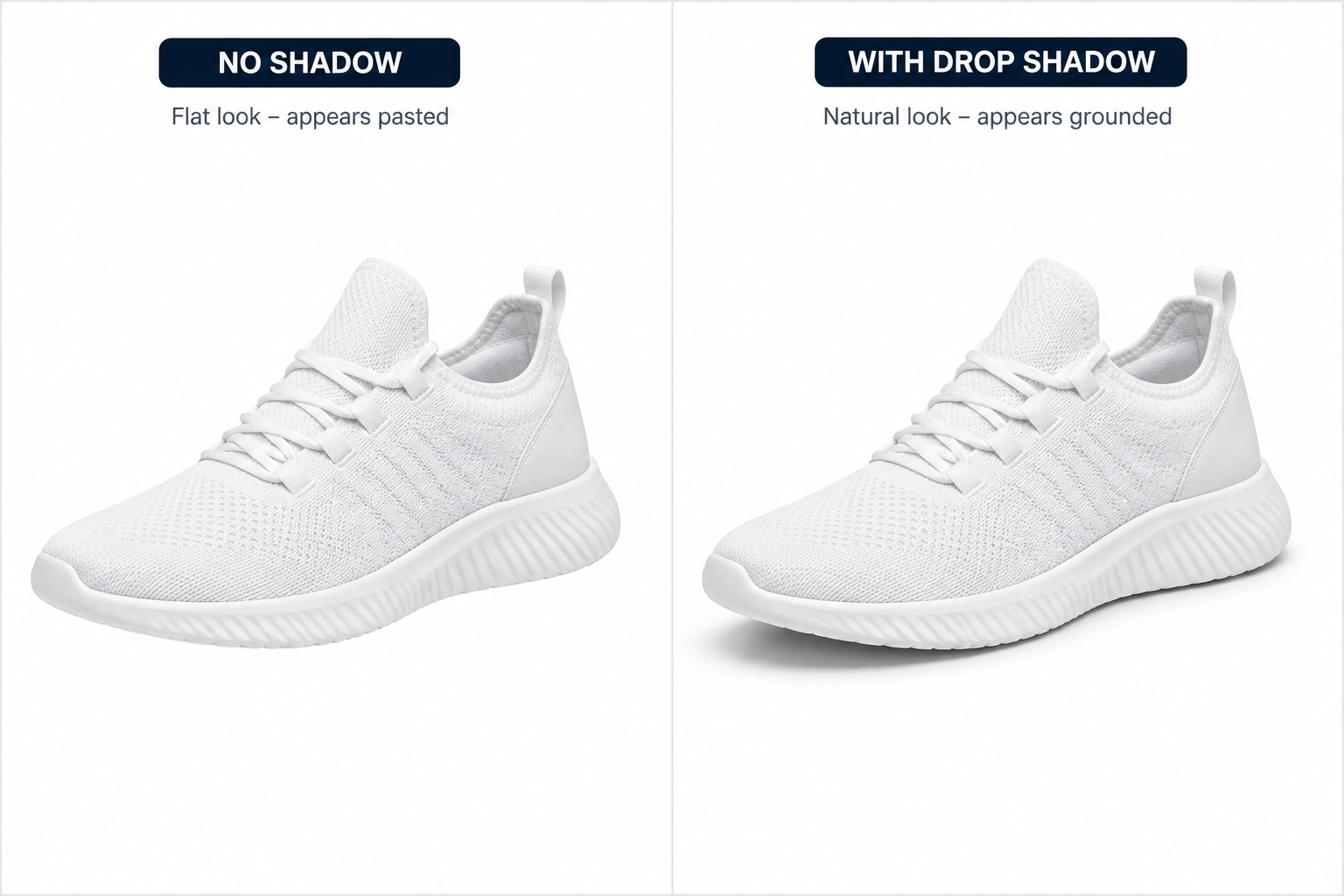
A clean cutout is only part of the job. Many sellers add a shadow creation step afterward, since a flat cutout without any shadow can look pasted-on rather than photographed. For apparel specifically, pairing a clipping path service with a ghost mannequin editing pass gives garments a natural, worn shape without a visible mannequin or model.
Final Thoughts
A clipping path service isn’t a cosmetic extra — it’s the step that makes your product images look like they belong on the same shelf as established brands. Whether you’re prepping a handful of images or a full catalog, clean, consistent cutouts are one of the more direct ways to improve how your listings perform.